
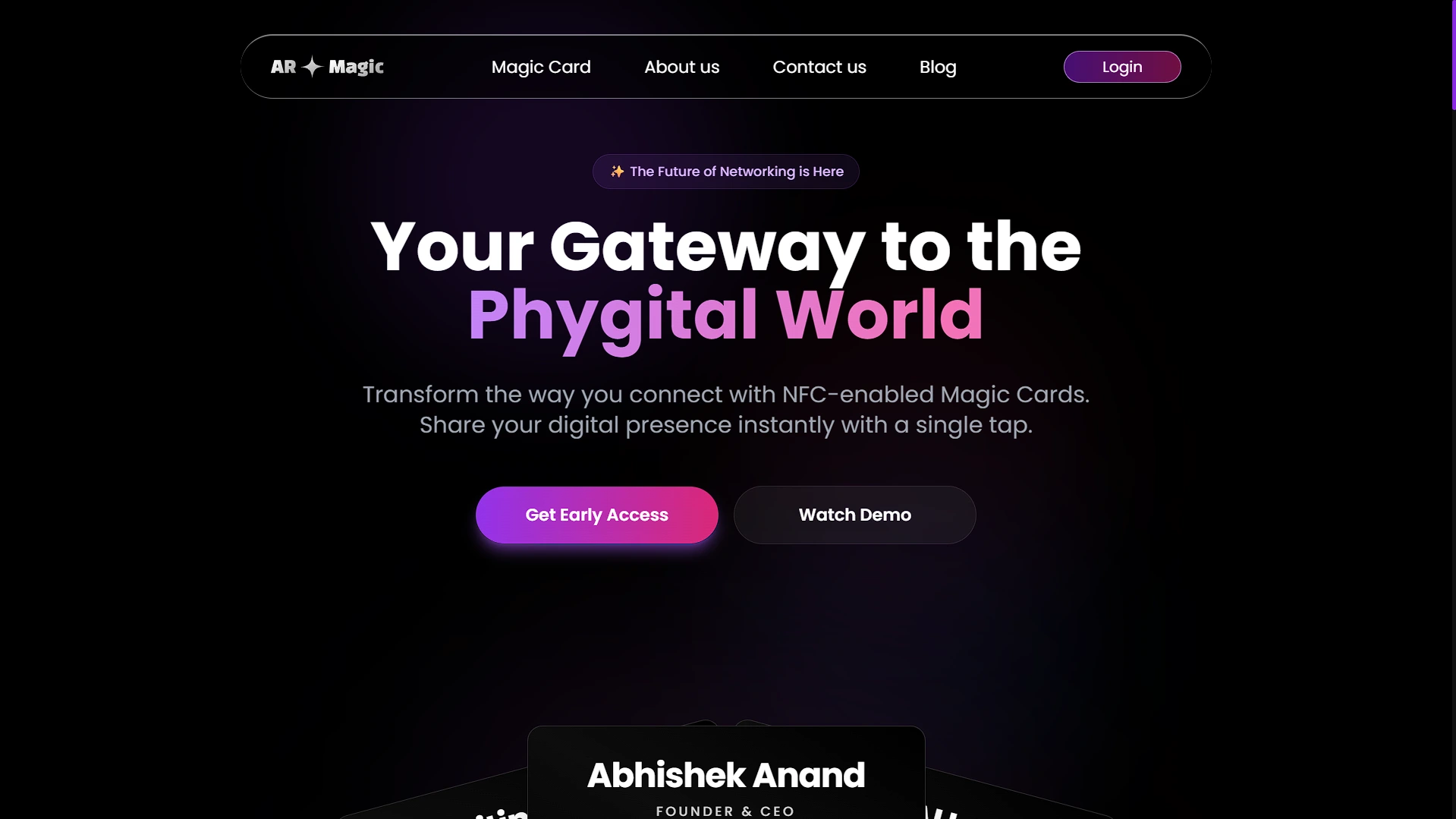
AR Magic
Digital business card platform — create, theme, share, and update your card live without changing the link.
Role
Full-Stack Developer
Timeline
2025 – 2026
 Next.js
 TypeScript
 MongoDB
 Mongoose
 AWS
AWS Tailwind CSS
 Framer Motion
 GSAP
GSAP JWT
JWTProblem
Printed business cards go stale the moment any detail changes. There's no engagement signal, no way to carry multiple professional identities, and sharing a dozen social links in person is pure friction.
Approach
Built a full-stack Next.js platform with a live card model that decouples your public URL from any specific card. Switching your active card is one document update — the QR code and link never change. The product includes multiple theme components, Google OAuth + OTP auth, QR generation, admin access control, and S3 media management.
Outcomes
- Live card system: update your public card at any time without changing the URL or QR code.
- Multiple card themes with color control and profile/cover/logo uploads via AWS S3.
- Freemium/standard/premium/enterprise tier model baked into the data layer from the start.
Project Overview
AR Magic is a full-stack Next.js application for digital identity cards. It combines a marketing site, authentication, beta/waitlist access, a dashboard card builder, public card pages, QR generation, S3 media uploads, Google OAuth, and an admin panel for access approval.
The main users are professionals who want a shareable digital business card and admins who control access while the product is in a gated/beta state. Public visitors can open a live card link, view contact details, and use contact-sharing utilities.
Problem Statement
Printed business cards are brittle. If a phone number, role, logo, or website changes, the printed card cannot change. Traditional link-in-bio tools can host profile links, but they do not map cleanly to the business-card workflow of custom themes, contact download, QR/NFC sharing, and a stable public identity URL.
The product addresses these pain points:
- Users need multiple card designs without losing one stable public link.
- Public card pages need fast, theme-aware rendering from stored card data.
- Uploaded profile, cover, and logo images need durable external storage.
- Access needs to be controlled during beta without blocking Google OAuth users.
Goals & Success Criteria
Functional goals:
- Let users sign up with credentials or Google OAuth.
- Verify credential users with OTP and optionally gate dashboard access with
accessstatus. - Let users create, edit, delete, preview, and publish digital cards.
- Store uploaded media in S3 and card/profile data in MongoDB.
- Generate QR codes pointing to the public card URL.
- Let admins view users, search/paginate, and grant/revoke access.
Non-functional goals:
- Keep product validation fast with a Next.js monolith.
- Make public card links stable even when selected card data changes.
- Keep authentication consistent through one
magic-cardJWT cookie. - Avoid requiring a separate backend service during the MVP phase.
Success criteria:
- A verified/access-approved user can create multiple cards and publish one live card.
- The public URL resolves to the latest selected card without changing QR code text.
- Admins can control beta access without editing database records manually.
- supporting over 5,000 generated cards and continuous daily QR scans.
My Role & Responsibilities
I worked across the product: App Router pages, API routes, Mongoose models, JWT cookie auth, NextAuth integration, OTP email flow, S3 image upload utilities, dashboard card CRUD, live-card selection, QR generation, and admin access management.
The core product decision I owned was separating DigitalCard records from LiveCard. That small model boundary is what makes the public link stable.
Tech Stack & Architecture
Next.js App Router fits the product because marketing pages, authenticated dashboard pages, public dynamic card pages, and API routes can live in one deployable app. MongoDB/Mongoose fits flexible card profiles because themes, social links, images, and user profile metadata evolve quickly. S3 is appropriate for public media assets, while JWT cookies keep dashboard API authentication simple.
Architecture Diagram
flowchart LR
  Visitor[Visitor / User / Admin] --> Next[Next.js App Router]
  Next --> Pages[Marketing + Dashboard + Public Card Pages]
  Pages --> API[Next.js API Routes /api/v1]
  API --> Auth[JWT cookie + NextAuth OAuth]
  API --> Mongo[(MongoDB via Mongoose)]
  API --> S3[AWS S3 media storage]
  API --> Mail[Nodemailer OTP/contact email]
  API --> Captcha[Google reCAPTCHA]
ER/DB Schema Diagram
erDiagram
  USER ||--o{ DIGITAL_CARD : owns
  USER ||--o| LIVE_CARD : publishes
  LIVE_CARD ||--|| DIGITAL_CARD : points_to
  ADMIN ||--o{ USER : manages_access_for
  USER {
    string email
    string username
    boolean isVerified
    boolean access
    string accountType
  }
  DIGITAL_CARD {
    string owner
    string activeTheme
    string profile
    string coverImage
    string logo
  }
  LIVE_CARD {
    string username
    string userID
    string card
  }
Key Features
- Card builder: Users enter identity, business, contact, social, color, and media details. The technical challenge is keeping a large form aligned with a flexible Mongoose schema.
- Multiple themes: Card rendering supports many theme components, letting a single card model render in different visual systems.
- Live card switching: The
LiveCardmodel maps a username to one selected card. This is the main product architecture decision. - Credential + Google auth: Credential users verify OTP and may wait for access; Google users are created/verified through NextAuth and share the same custom JWT cookie path.
- S3 media uploads: Profile, cover, and logo images are uploaded to S3 from base64 payloads.
- Admin access control: Admins can search, paginate, inspect, approve, revoke, or delete users during gated access.
Development Process & Challenges
The hardest product problem was the live URL model. If each QR code pointed to a specific card ID, users would need a new QR code whenever they switched designs. I chose username -> LiveCard -> DigitalCard, which keeps the public link stable and makes card switching a single document update.
The main engineering tradeoff was monolith speed versus long-term modularity. A single Next.js app made the MVP fast because pages, APIs, auth, and models could ship together. The cost is coupling: dashboard UI, API routes, file upload, and auth share the same deployable boundary.
The platform was architected with a future-proof foundation, preparing for upcoming AR/3D integrations while delivering robust digital cards, QR/NFC sharing, and media management today.
UX & Product Decisions
The dashboard centers on quick creation and publishing: create/edit cards, preview theme, choose the active public card, and generate a QR code. The public page is intentionally username-based because users remember names better than IDs and because the URL can be printed or encoded into NFC/QR materials.
The admin approval UX supports a beta rollout: credential users can verify email but remain waiting until access is granted. This lets the product accept demand without exposing unfinished dashboard capabilities to every signup.
Results & Impact
The project demonstrates a complete product loop: acquisition site, signup, verification, dashboard creation, media upload, public publishing, QR sharing, and admin access control.
Performance/reliability notes:
- Public card lookup is a small query by username and populated card reference.
- Mongoose
.lean()appears in read-heavy paths to reduce overhead. - S3 keeps uploaded images outside the application runtime.
- Delivered LCP load times under 1.2s for public digital cards.
Learnings & Reflection
This project showed that the right data boundary can make a product feature simple. Live card switching is not complex because LiveCard owns public routing state separately from editable card records.
It also exposed production-hardening lessons: environment variable names need consistency, S3 bucket/region should be configurable, public-read upload policy should be reviewed, and large dashboard files should be decomposed as the product grows.
Future Improvements
- Move S3 bucket, region, and canonical domain values fully into environment/config.
- Add scan analytics for QR/public card visits.
- Add tests for auth, OTP, card CRUD, live-card switching, and admin access routes.
- Split the large dashboard/card builder into smaller form/state modules.
Visuals & Diagrams
User Flow Diagram
flowchart TD
  A[User signs up] --> B{Credential or Google?}
  B -->|Credential| C[Verify OTP]
  B -->|Google| D[Create verified user]
  C --> E{Access granted?}
  D --> F[Open dashboard]
  E -->|No| G[Waiting list screen]
  E -->|Yes| F
  F --> H[Create digital card]
  H --> I[Upload profile/logo/cover to S3]
  I --> J[Save DigitalCard]
  J --> K[Set as LiveCard]
  K --> L[Share QR for /magic-card/username]
Component Tree Diagram
graph TD
  App --> LandingPages
  App --> AuthPages
  App --> DashboardLayout
  App --> PublicMagicCardPage
  DashboardLayout --> Sidebar
  DashboardLayout --> CardList
  DashboardLayout --> CardBuilder
  CardBuilder --> CardForm
  CardBuilder --> CardLinksForm
  CardBuilder --> ThemePreview
  PublicMagicCardPage --> LiveCardFetcher
  LiveCardFetcher --> ThemeRenderer
  ThemeRenderer --> ThemeOne
  ThemeRenderer --> ThemeEleven