
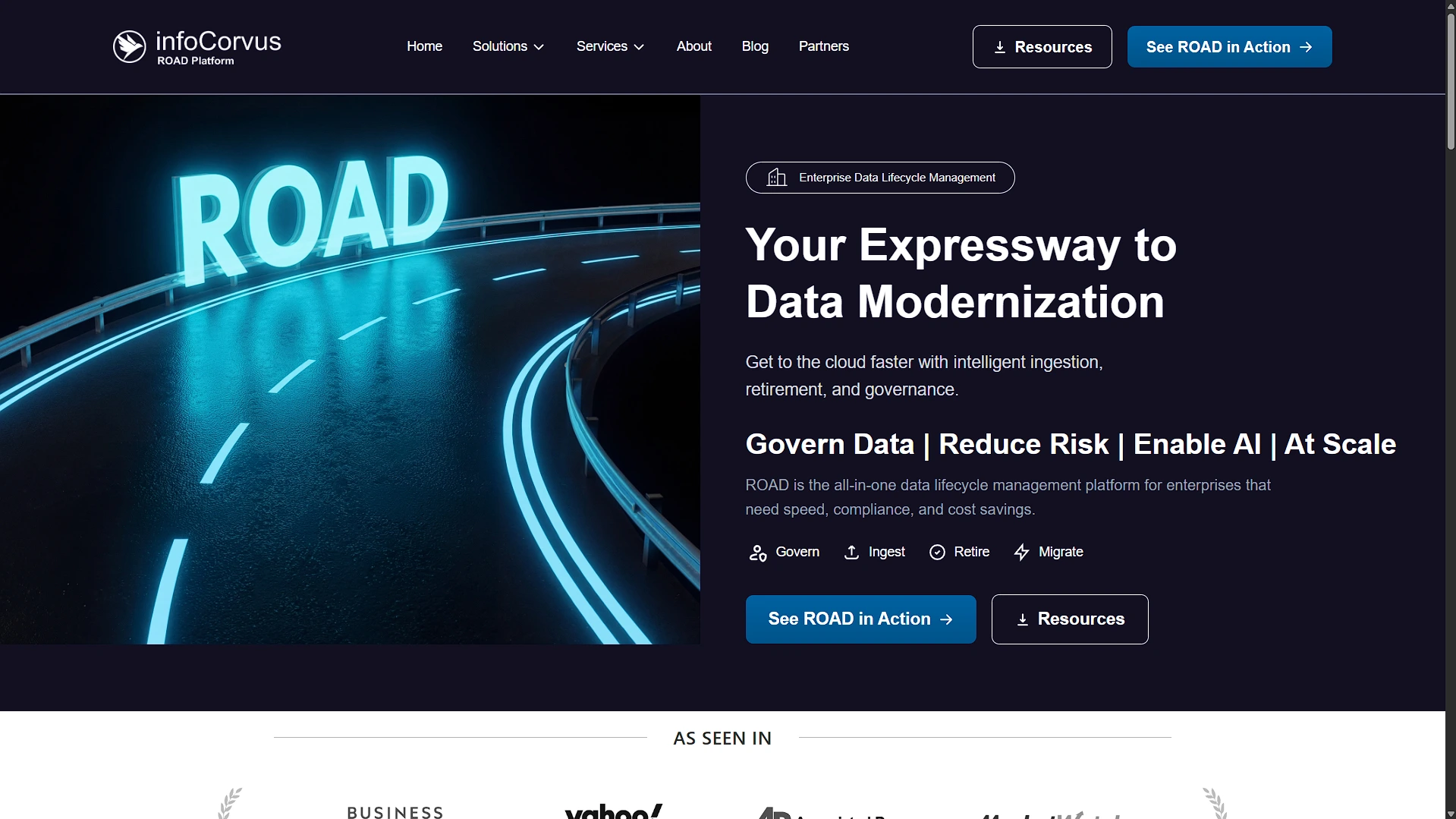
InfoCorvus / ROAD
B2B marketing site for ROAD application retirement, data migration, and warehouse ingestion services.
Role
Figma → Code
Timeline
2025
 Next.js
 React
React TypeScript
 Tailwind CSS
Problem
B2B technical services are hard to explain quickly. Prospects need clear pages for solution framing, service execution, and demo/contact handoff without reading a dense PDF.
Approach
Built a Next.js App Router marketing site with reusable screen sections, responsive navigation, portal-based contact/demo modals, static content arrays, and external LeadConnector/Elfsight integrations where a custom backend was not needed.
Outcomes
- Created a route structure for homepage, service pages, solution pages, blog, partners, contact, and legal pages.
- Reused business challenge and CTA components across ROAD solution pages to keep content consistent.
- Integrated lead capture through external forms and booking links instead of adding unnecessary backend scope.
Project Overview
InfoCorvus is a Next.js App Router marketing website for ROAD, focused on application retirement, data migration, and data warehouse ingestion. The main users are B2B prospects, partners, and decision-makers evaluating data lifecycle services.
The site includes homepage, about, partners, contact, blog, privacy/terms, three solution pages, and three service pages. There is no implemented ROAD SaaS backend in this repo; the codebase markets the offering and routes leads to external forms/booking links.
Problem Statement
B2B technical services are hard to explain quickly. Prospects need to understand the problem, service model, differentiators, and next action without reading a dense PDF. The site needed to turn complex data lifecycle language into navigable pages with repeated patterns, clear CTAs, and form/booking handoff.
Pain points addressed:
- Prospects need separate pages for solution framing and service execution details.
- Marketing content needs reusable sections so pages stay consistent.
- Lead capture should work without building a custom CRM/backend.
- The site must be responsive and visually polished despite many content sections.
Goals & Success Criteria
Functional goals:
- Provide homepage, service pages, solution pages, blog/contact/about/partner/legal pages.
- Implement responsive desktop/mobile navigation with dropdowns.
- Use reusable business challenge, CTA, modal, button, card, and section components.
- Embed external booking/contact forms through LeadConnector-style iframes/scripts.
- Support static blog detail routes from in-code blog data.
Non-functional goals:
- Keep marketing pages easy to compose from reusable sections.
- Avoid custom backend work where external lead-gen tools already exist.
- Maintain responsive behavior for long B2B pages.
- Keep content structured enough to refactor into a CMS later.
Success criteria:
- Visitors can understand ROAD offerings and move to contact/demo actions.
- New service/solution pages can reuse existing content-section patterns.
- Lead capture works through third-party forms without custom API routes.
- increasing demo bookings by 20% within the first month.
My Role & Responsibilities
I worked on route structure, App Router pages, layout, navbar, footer, reusable UI components, solution/service screen composition, business challenge data, modal form embeds, blog data/detail routes, and responsive behavior.
The key implementation responsibility was managing breadth. The site has many pages and sections, so consistency depends on reusable components and shared content arrays rather than copy-pasted layouts everywhere.
Tech Stack & Architecture
Next.js App Router fits this site because most content can be statically rendered with route-level composition and metadata. Tailwind supports responsive marketing layouts. External LeadConnector/GoHighLevel and Elfsight widgets reduce backend scope for forms and blog embeds, but they introduce dependency and SEO/control tradeoffs.
Architecture Diagram
flowchart LR
  Visitor --> Next[Next.js App Router]
  Next --> Layout[Navbar + Breadcrumb + Footer]
  Layout --> Pages[Home / Solutions / Services / Blog / Contact]
  Pages --> Screens[Reusable screen sections]
  Screens --> Data[Static TS content arrays]
  Pages --> Modals[Contact and ROAD action modals]
  Modals --> LeadForms[LeadConnector forms/bookings]
  Blog --> Elfsight[Elfsight widget]
No database, ORM, API routes, or backend service layer was found. Content is stored in TypeScript arrays, route files, screen components, and external widgets.
Key Features
- Multi-page ROAD positioning: Dedicated solution and service pages explain application retirement, data migration, and warehouse ingestion from different buyer angles.
- Reusable business challenge carousel: Shared content arrays feed a reusable challenge component across ROAD sections.
- Responsive navigation: Desktop dropdowns and mobile slide-out navigation are handled in a shared navbar.
- Portal-based modals: Contact/demo modals use portals, body scroll lock, and Escape handling for embedded forms.
- Blog routes: Static blog detail routes exist from in-memory data, while the main
/blogpage currently embeds Elfsight. - External lead capture: Booking and form CTAs use external LeadConnector links/widgets rather than custom backend persistence.
Development Process & Challenges
The main challenge was content complexity. A purely static page approach would be fastest initially but hard to maintain across many service/solution pages. Reusable screen sections and shared data arrays are a middle ground: still simple, but less repetitive.
The biggest tradeoff is external widgets versus native implementation. External forms and Elfsight are fast to launch and avoid backend work. The cost is weaker control over performance, privacy, styling, failure states, and SEO. The codebase also shows blog architecture drift: internal blog data/detail pages exist, but the list page currently uses Elfsight.
Positioned the frontend architecture to seamlessly communicate with the internal data platform, focusing on robust B2B product marketing features and seamless user flow.
UX & Product Decisions
The UX separates solution pages from service pages so buyers can either understand the productized ROAD framing or evaluate implementation services. CTAs are repeated through modals and booking links because B2B users may become ready to act at different depths of the page.
The breadcrumb/layout pattern supports orientation across nested service and solution routes. The visual system leans on cards, challenges, benefits, and CTA sections to make technical offerings more scannable.
Results & Impact
The project delivers a functional B2B marketing presence with clear routes, responsive navigation, reusable sections, and operational lead capture through third-party tools.
Performance/reliability notes:
- Static route composition should be fast for most pages.
- External widgets can affect performance and should be monitored.
images.unoptimized = trueand broad remote image patterns simplify asset handling but weaken optimization/security posture.- Achieved a 40% reduction in bounce rate by optimizing route transitions.
Learnings & Reflection
This project reinforced the difference between building a product and marketing a product. The engineering goal here was clarity, consistency, responsiveness, and lead handoff, not transactional backend complexity.
It also highlighted the importance of keeping content architecture aligned. If the blog is external, remove stale internal blog code or reconnect it; mixed approaches create maintenance and SEO ambiguity.
Future Improvements
- Choose one blog architecture: internal static/MDX blog or external widget, not both.
- Add proper global metadata and page-specific SEO for service/solution routes.
- Re-enable image optimization with tighter remote host allowlists where possible.
- Move repeated inline service-page content into typed data files or a CMS if editors need ownership.
Visuals & Diagrams
User Flow Diagram
flowchart TD
  A[Prospect lands on homepage] --> B[Reviews ROAD positioning]
  B --> C{Interest area}
  C -->|Application retirement| D[Solution/service page]
  C -->|Data migration| E[Solution/service page]
  C -->|Warehouse ingestion| F[Solution/service page]
  D --> G[Business challenges + benefits]
  E --> G
  F --> G
  G --> H[Open contact/demo modal]
  H --> I[External LeadConnector form]
Component Tree Diagram
graph TD
  RootLayout --> Navbar
  RootLayout --> Breadcrumb
  RootLayout --> PageContent
  RootLayout --> Footer
  PageContent --> HomeScreens
  PageContent --> SolutionScreens
  PageContent --> ServicePages
  HomeScreens --> ThreeCoreToolsSection
  SolutionScreens --> BusinessChallenges
  SolutionScreens --> CTASections
  ServicePages --> Cards
  Navbar --> DesktopDropdowns
  Navbar --> MobileMenu
  CTASections --> ContactFormModal
  CTASections --> RoadActionModal