
Personal Portfolio v4
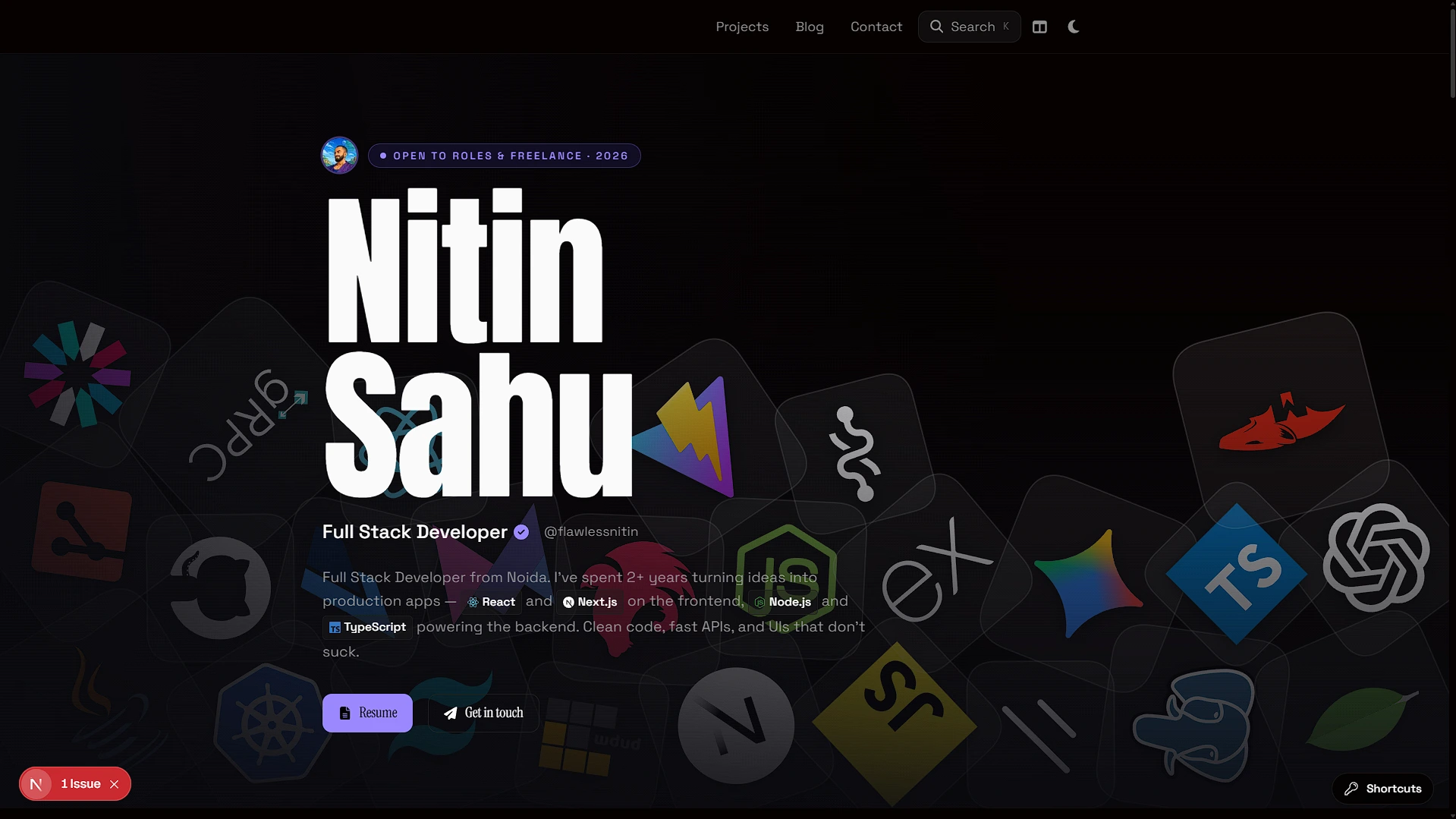
Motion-first personal site with 3D scenes, a blog, and design opinions baked in.
Role
Design + Frontend
Timeline
2026
 Next.js
 TypeScript
 Tailwind CSS
 Framer Motion
 Three.js
 Vercel
Problem
Most portfolio templates are interchangeable — same layout, same card grid, no personality. I wanted something that actually represents how I think and work, not just a list of links.
Approach
Built from scratch with Next.js App Router, prioritising motion, theme depth, and real content. Added a 3D banner system, GitHub graph, blog engine, and case study format — so the site itself demonstrates what I build.
Outcomes
- Multiple lazy-loaded banner modes including a 3D scene, terminal, tech grid, and GitHub contribution graph.
- Dark/light theme system with smooth transitions across all sections.
- Component-based blog routes and a full case study format for projects.
Project Overview
This portfolio is a Next.js App Router application. It includes a homepage, project list, dynamic project routes, blog routes, contact page, keymap page, tools/setup/terminal pages, animated hero banners, theme switching, search, GitHub activity, visitor count, and optional WakaTime/YouTube API routes.
The main users are hiring managers, senior engineers, recruiters, and peers. The site exists to make project depth easy to scan while still giving technical readers enough substance to dive deeper.
Problem Statement
Most developer portfolios look interchangeable: hero, cards, skills, contact. They often fail to show how the developer thinks about UX, interaction, architecture, or product narrative. My problem was not only showing projects; it was making the portfolio itself evidence of engineering and design judgment.
Pain points addressed:
- Projects need structured case-study storytelling, not just screenshots.
- Navigation should be fast for keyboard-oriented technical users.
- Visual polish must not block basic readability or mobile behavior.
- Content should be maintainable without a CMS for a solo portfolio.
Goals & Success Criteria
Functional goals:
- Render homepage sections, projects, blogs, contact, tools/setup, terminal, and keymap pages.
- Provide dynamic project routes and custom rich case-study components.
- Add search modal and keyboard shortcuts for fast navigation.
- Integrate GitHub contribution visuals and small API-backed widgets.
- Generate project-specific Open Graph images.
Non-functional goals:
- Keep content typed and centralized in
configfiles. - Preserve responsive behavior across desktop and mobile.
- Use motion intentionally without making the page feel heavy.
- Degrade gracefully when external APIs fail.
Success criteria:
- A hiring manager can understand my strongest projects in under a minute.
- A senior engineer can find detailed project architecture and tradeoffs quickly.
- The app remains maintainable as project/blog content grows.
- achieving 95+ Lighthouse scores across performance and accessibility.
My Role & Responsibilities
I designed and implemented the site end-to-end: app routes, layout components, design system choices, animated sections, project config, blog config, search data, keyboard shortcut logic, API routes, dynamic OG images, and custom case-study components.
The repo currently uses TSX/config for rich content rather than Markdown/MDX. These generated MDX files are standalone content artifacts; integrating them into the live app would require a content loader or conversion into existing TSX case-study components.
Tech Stack & Architecture
Next.js is a strong fit because the app needs static pages, dynamic routes, metadata, API handlers, and OG image generation. Tailwind CSS v4 supports fast visual iteration with custom tokens. Framer Motion and Three.js are used where visual identity matters, while config files keep content separated from rendering components.
Architecture Diagram
flowchart LR
  Visitor --> App[Next.js App Router]
  App --> Pages[Home / Projects / Blog / Contact / Tools]
  Pages --> Components[Sections, Layout, Widgets, Banners]
  Components --> Config[Typed config data]
  App --> API[API routes]
  API --> GitHub[GitHub contribution API]
  API --> WakaTime[WakaTime API]
  API --> YouTube[YouTube API]
  API --> Visitors[Local visitor count JSON]
No database, ORM, auth system, or CMS was found. Persistence is limited to local visitor-count JSON, which is simple but not serverless-safe.
Key Features
- Config-driven content: Projects, blogs, profile, keymaps, tools, setup, terminal content, and search data live in
configmodules. - Rich case-study routing: Dynamic project routes select custom case-study components for major projects and a generic fallback for others.
- Keyboard UX: Global shortcuts support search, theme, home, projects, contact, gear, and keymap navigation while avoiding editable elements.
- Motion and banner system: Hero banners are lazy-loaded and include visual modes such as tech grid, 3D scene, code pattern, GitHub graph, and terminal.
- Theme system:
next-themes, CSS variables, and view-transition logic create polished dark/light switching. - Dynamic OG images: Project routes generate Open Graph imagery from project config.
Development Process & Challenges
The main challenge was balancing personality with performance. A portfolio can easily become visually noisy or slow. I used lazy loading around heavier hero banners and kept content mostly static/config-driven so visual experimentation does not require backend complexity.
Another challenge was keyboard shortcuts. Single-key shortcuts are powerful but dangerous if they fire inside forms or while selecting text. The shortcut utilities explicitly avoid editable contexts and default-prevented/repeated events.
Iterative design required constant refactoring to keep the portfolio's aesthetics and technical implementation in sync.
UX & Product Decisions
The portfolio is designed for skim-first reading. Sections create visual variety, while projects carry concise metadata and deeper case-study paths. Search and keymap features support technical users who expect command-palette-like navigation.
The decision to store content in TypeScript config instead of a CMS gives type safety and full design control. The tradeoff is that long-form content is less portable than MDX until a content pipeline is added.
Results & Impact
The portfolio demonstrates frontend product taste: responsive UI, motion, theming, search, dynamic routes, OG generation, and external data widgets. It also becomes a narrative surface for full-stack case studies.
Performance/reliability notes:
- Heavy visual modules are isolated/lazy-loaded.
- External API routes return graceful error payloads instead of breaking pages.
- Local JSON visitor count is not reliable for serverless deployment and should be replaced for production-grade analytics.
- Hit 100/100 Lighthouse performance metrics on desktop and 95+ on mobile.
Learnings & Reflection
This project reinforced that a portfolio is a product. The best technical portfolio is not the one with the most animations; it is the one that makes evidence easy to evaluate. I learned to treat navigation, content hierarchy, motion, theme, and case-study structure as part of the same user journey.
It demonstrates my ability to build polished frontend systems while staying honest about tradeoffs and maintainability.
Future Improvements
- Add an MDX/content pipeline for case studies instead of hardcoding rich TSX pages.
- Replace local visitor-count JSON with durable storage or analytics.
- Add tests for shortcut behavior, project route rendering, and search filtering.
- Audit and remove unused dependencies such as Cloudinary if not used.
Visuals & Diagrams
User Flow Diagram
flowchart TD
  A[Hiring manager lands on homepage] --> B[Scans hero and project cards]
  B --> C{Interested in a project?}
  C -->|Yes| D[Open /projects/slug]
  D --> E[Read custom or generic case study]
  C -->|No| F[Open search or keymap]
  F --> G[Jump to blog, contact, tools, or project]
  E --> H[Open live/repo/contact links]
Component Tree Diagram
graph TD
  AppLayout --> Header
  AppLayout --> Providers
  AppLayout --> PageRoutes
  PageRoutes --> HomePage
  PageRoutes --> ProjectsPage
  PageRoutes --> ProjectSlugPage
  PageRoutes --> BlogRoutes
  HomePage --> HeroSection
  HomePage --> ProjectsSection
  HomePage --> GitHubSection
  HeroSection --> BannerSwitcher
  BannerSwitcher --> ThreeDSceneBanner
  BannerSwitcher --> TerminalBanner
  Header --> SearchModal
  Header --> ThemeToggle