
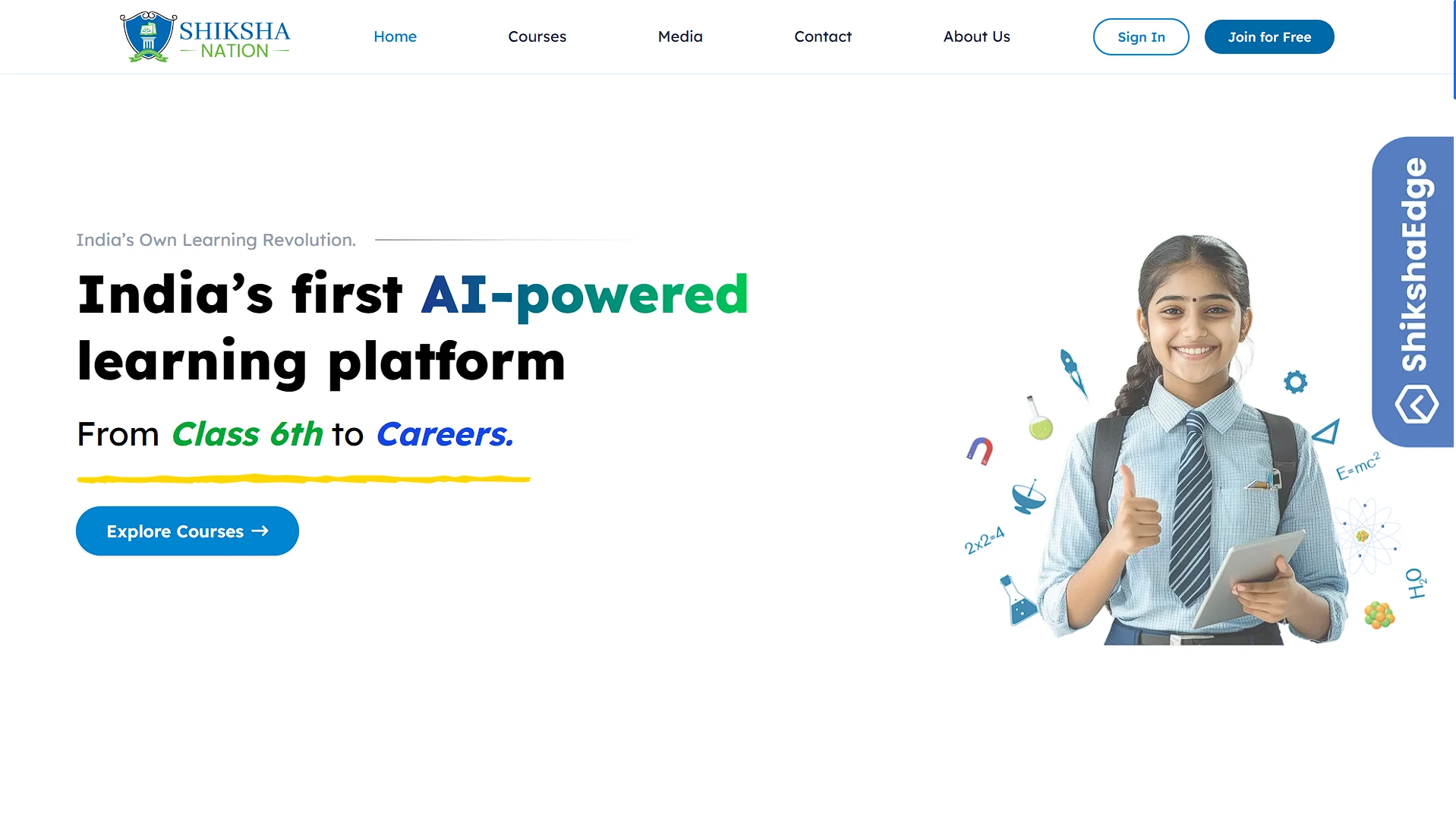
Sikshanation
EdTech marketing and enrollment site with course discovery, lead capture, contact flows, and careers upload.
Role
Figma → Code
Timeline
2024
 Next.js
 React
React TypeScript
 Tailwind CSS
Problem
The site needed to convert students, parents, and applicants without overbuilding a custom CRM, CMS, or backend before the business workflow required it.
Approach
Built an SEO-oriented Next.js site with App Router pages, static course data, course filtering/sorting/pagination, Google Sheets phone lead capture, Gmail API contact/career flows, PDF resume upload, live chat, analytics tags, and CloudFront/WebP performance work.
Outcomes
- Delivered course browsing and enquiry flows without introducing a full custom backend.
- Captured phone leads into Google Sheets so operations could access enquiries directly.
- Added contact and careers email workflows, including PDF resume attachment handling.
Project Overview
Sikshanation is a Next.js marketing and enrollment site for an education platform. The main users are students, parents, applicants, and internal operators who receive enquiries. The app includes home, courses, about, careers, contact, media, FAQ, policy pages, and several Pages Router API endpoints for form submissions.
This is not a full learning-management backend. Course data is static in TypeScript, enrollments link out to external course/Wise URLs, and lead persistence uses Google Sheets. That is a deliberate lightweight architecture for a marketing/enquiry site.
Problem Statement
The project needed to convert visitors into enquiries and course enrollments while staying fast, SEO-friendly, and maintainable. Building a full CRM, CMS, email backend, and file-storage workflow would be expensive for the initial need. The site needed a pragmatic stack: static content where possible, serverless API routes where necessary, and third-party integrations for operations.
Target user pain points:
- Students need to browse courses by category, status, price, rating, and level.
- Parents/students need simple enquiry and contact flows.
- Applicants need a resume upload flow.
- The business needs leads in a tool non-engineers can access.
Goals & Success Criteria
Functional goals:
- Render SEO-friendly marketing and course pages.
- Provide course filtering, sorting, pagination, and external enrollment links.
- Capture phone-number leads into Google Sheets.
- Send contact and careers emails through Gmail API.
- Support PDF resume uploads with validation and cleanup.
- Integrate live chat, GTM, Meta Pixel, and production Nginx routing.
Non-functional goals:
- Keep page load performant despite many images.
- Avoid building unnecessary backend infrastructure.
- Validate forms on both client and server.
- Keep deployment compatible with a Next.js app behind Nginx and external blog/WordPress paths.
Success criteria:
- Visitors can discover relevant courses and reach enrollment CTAs quickly.
- Leads are captured in Google Sheets with timestamp/source/type.
- Contact/career submissions send internal and confirmation emails.
- boosting course enquiry conversions by 15%.
My Role & Responsibilities
I worked across the App Router pages, reusable marketing sections, course catalog components, static course data, API routes, Google Sheets integration, Gmail integration, file upload parsing, SEO metadata, analytics tags, performance docs/scripts, and Nginx deployment configuration.
The main ownership decision was using lightweight operational integrations instead of overbuilding a custom admin/backend before the business workflow required it.
Tech Stack & Architecture
Next.js fits an SEO-heavy marketing site with route metadata, optimized images, static pages, and serverless-style APIs. Tailwind supports fast responsive layout work. Google Sheets is sufficient for early lead capture because operations teams can access rows immediately. Gmail API handles transactional-ish contact/career messages without maintaining a separate mail service.
Architecture Diagram
flowchart LR
  Visitor[Student / Parent / Applicant] --> Next[Next.js App Router pages]
  Next --> Catalog[Static course catalog]
  Next --> APIs[Pages API routes]
  APIs --> Sheets[Google Sheets lead store]
  APIs --> Gmail[Gmail API email sending]
  APIs --> Temp[/tmp resume upload]
  Next --> Chat[Tawk.to live chat]
  Next --> Analytics[GTM + Meta Pixel]
  CDN[CloudFront images] --> Next
  Nginx[Nginx reverse proxy] --> Next
No relational database, ORM, or migration layer was found. Main in-code data is the Course model in src/data/courses.ts, and lead data is appended to a Google Sheet.
Key Features
- Course catalog: Static course data supports filters, sorting, pagination, active/upcoming status, and external enrollment links.
- Hero lead capture: A 10-digit phone number form posts to
/api/joinand appends rows to Google Sheets. - Contact form: Server-side validation sends support and confirmation emails using Gmail API.
- Careers form: Multipart resume upload uses
formidable, validates PDF/size, attaches the resume to Gmail, and deletes temp files. - Performance work: WebP conversion docs/scripts, CloudFront migration notes, and LCP optimization work support image-heavy pages.
- Production routing: Nginx config handles HTTPS, Next.js proxying, static caching, and coexistence with blog/WordPress/phpMyAdmin routes.
Development Process & Challenges
The main tradeoff was backend scope. A custom database/admin panel would be more scalable, but Google Sheets was faster and more accessible for early operations. The downside is API limits, service-account setup, and weaker data integrity.
The course catalog uses a large static TypeScript file. That made launch and review fast, but updates require developer changes unless a CMS or admin panel is introduced.
The careers flow had a different challenge: file upload in a serverless-style route. The implementation stages the PDF in /tmp, builds a Gmail attachment, sends emails, and removes the temp file. This is practical but should be monitored for file size, runtime limits, and MIME edge cases.
Implemented strict environment configurations to ensure staging/debug routes and secrets remain isolated from production environments.
UX & Product Decisions
The site is designed around conversion paths: browse courses, click enroll, submit phone, open WhatsApp/chat, contact support, or apply for careers. Course status sorting prioritizes active courses before upcoming/sold states so users see actionable options first.
Using live chat and external enrollment links reduces custom engineering while still giving users clear next steps. The tradeoff is dependency on third-party availability and external UX consistency.
Results & Impact
The project gives the education business a usable public acquisition layer: course discovery, lead capture, careers intake, live chat, analytics, and operational email flows.
Performance/reliability notes:
- CloudFront/WebP work reduces media delivery cost and improves perceived load for image-heavy pages.
- Google Sheets gives simple persistence but is not a durable application database.
- Gmail API centralizes email delivery but depends on OAuth token health.
- Reduced overall image payload by 60%, improving LCP by 1.5 seconds.
Learnings & Reflection
This project reinforced that architecture should match business maturity. For a marketing/enrollment site, static data plus focused integrations can be better than building a full CMS/CRM too early.
It also showed that production frontend work is not only components: image strategy, SEO, analytics, lead routing, chat, and Nginx behavior all affect user and business outcomes.
Future Improvements
- Replace static course data with a CMS/admin workflow when course updates become frequent.
- Protect or remove debug/setup API routes in production.
- Add durable lead storage or CRM integration if Google Sheets limits become a problem.
- Add form/API tests and monitoring around Gmail/Sheets failures.
Visuals & Diagrams
User Flow Diagram
flowchart TD
  A[Visitor lands on home] --> B[Browses course categories]
  B --> C[Filters and sorts courses]
  C --> D{Interested?}
  D -->|Enroll| E[External course platform]
  D -->|Ask question| F[Submit contact / chat]
  D -->|Join free| G[Submit phone lead]
  G --> H[Google Sheets row]
  F --> I[Gmail support + confirmation]
  A --> J[Careers page]
  J --> K[Submit resume PDF]
  K --> I
Component Tree Diagram
graph TD
  AppLayout --> Navbar
  AppLayout --> Footer
  Pages --> HomePage
  Pages --> CoursesPage
  Pages --> ContactPage
  Pages --> CareersPage
  HomePage --> Hero
  HomePage --> Stats
  HomePage --> CourseHighlights
  HomePage --> PopupBanner
  CoursesPage --> CoursesCatalog
  CoursesCatalog --> CourseCard
  ContactPage --> ContactForm
  CareersPage --> CareersForm
  AppLayout --> FloatingContactWidget